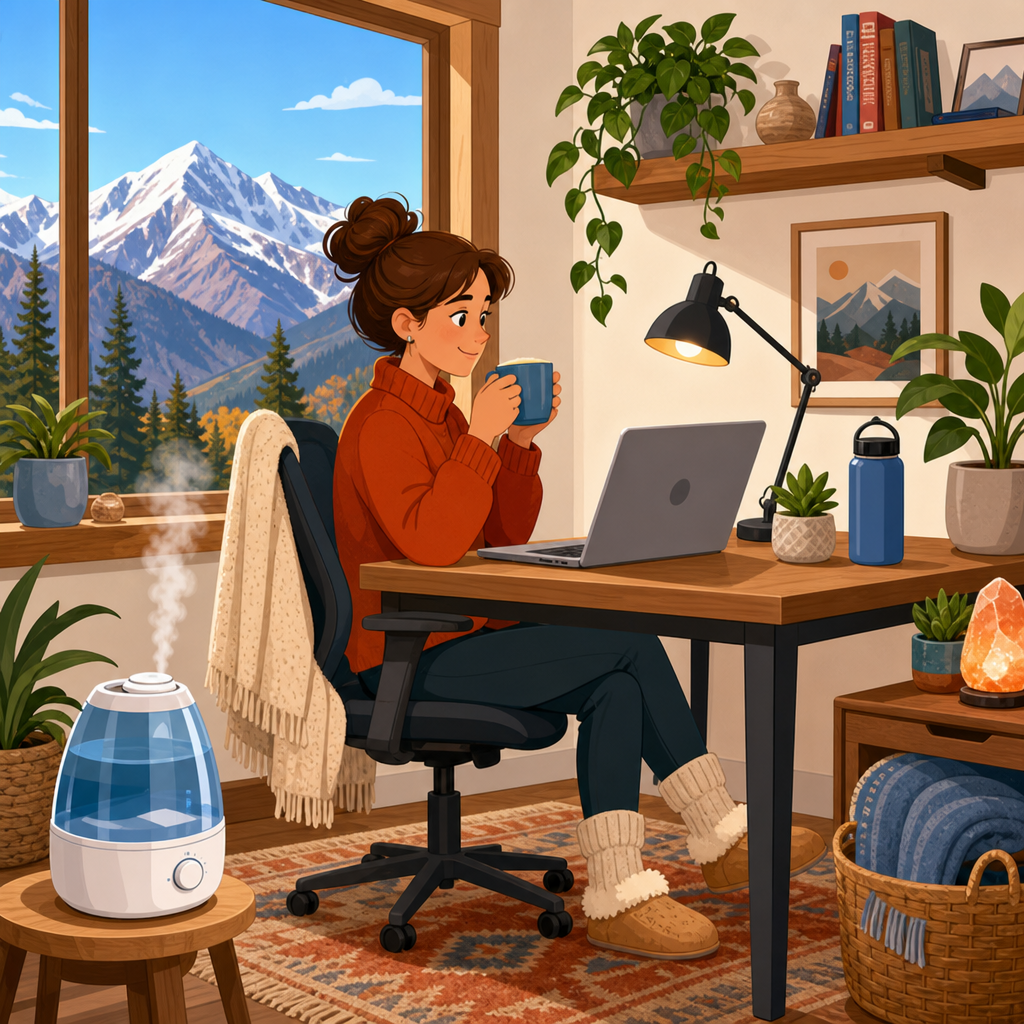
Dry mountain air changes the way a home office feels, sounds, and functions, often in ways people underestimate until they spend full workdays dealing with scratchy eyes, static shocks, dry skin, and uneven room temperatures. In practical terms, comfort troubleshooting means identifying the specific factors that make a workspace physically irritating or mentally fatiguing, then correcting them with targeted adjustments rather than guesswork. In mountain climates, low relative humidity is usually the main driver, but it interacts with altitude, strong sun exposure, indoor heating, leaky building envelopes, and long hours at screens. I have set up and adjusted workspaces in high-elevation homes where indoor humidity sat below 20 percent for weeks, and the pattern is consistent: people first blame their chair or workload, yet the bigger issue is the room itself. A comfortable home office in dry mountain air protects your eyes, skin, throat, energy, electronics, and concentration. This hub article explains how to diagnose common comfort problems, what fixes work best, and when to move from simple habits to equipment upgrades.
Start with the real cause: low humidity plus heat, sun, and altitude
The fastest way to improve comfort is to understand what dry mountain air does indoors. Relative humidity measures how much moisture is in the air compared with the maximum it could hold at that temperature. In heated mountain homes, winter indoor air commonly drops into the 15 to 30 percent range. By comparison, many people feel best around 30 to 50 percent, and eye, skin, and static problems usually increase as conditions fall below that zone. Altitude adds another challenge because faster respiratory water loss can make your nose and throat feel drier even when the room seems warm enough. Strong solar gain through large windows can also create a false sense of comfort: your face feels hot in direct sun while the rest of the room remains dry and cool.
In office troubleshooting, I start with three measurements: room temperature, relative humidity, and air movement. A simple digital thermo-hygrometer from ThermoPro, Govee, or AcuRite gives better guidance than intuition. If the room is 72 degrees Fahrenheit but humidity is 18 percent, dry-eye symptoms and static electricity make perfect sense. If humidity is acceptable but you still feel uncomfortable, the next suspects are glare, overheating near windows, draft paths, or an HVAC vent blowing directly at your face and hands. This matters because each problem needs a different fix. A humidifier helps dryness; it does not solve radiant heat from afternoon sun or poor task lighting.
Troubleshoot body symptoms in a logical order
Most home office discomfort in dry mountain air appears first in the body. Dry eyes, tight skin, chapped lips, irritated nasal passages, headaches, and fatigue are common. The practical question is not whether mountain air is dry; it is which symptom is being triggered by which condition. If your eyes burn most in the afternoon, check screen height, blink rate, and direct airflow before assuming you need stronger eye drops. If your hands crack after typing, look at handwashing frequency, soap strength, and desk humidity levels. If you wake up congested and then struggle through meetings, the issue may begin overnight in the bedroom rather than at your desk.
I recommend a simple sequence. First, verify humidity with a meter for several days, because readings swing when heating cycles change. Second, identify whether symptoms improve outside the office, since that can point to localized airflow or dust. Third, note timing: morning throat dryness often links to overnight dehydration or mouth breathing, while late-day eye strain often reflects low blink rate and glare. Fourth, make one change at a time for at least three days. People often buy a humidifier, change lotions, move desks, and adjust heat all at once, then never learn what actually solved the problem. Consistent troubleshooting produces better results and avoids unnecessary purchases.
Set up humidity control without creating mold, mineral dust, or maintenance problems
Humidification is the central fix for a dry mountain home office, but it works only when sized, placed, and maintained correctly. For a small office, a portable humidifier is usually enough; for a larger suite or whole-home dryness, a furnace-mounted unit may be more effective. Evaporative models are often the safest recommendation because they are self-limiting and less likely to over-humidify a room. Ultrasonic models are quieter, but if you use hard water they can release fine white mineral dust onto desks and electronics. Steam models add clean moisture but consume more energy and can be a burn risk in tight spaces.
Target a measured humidity level around 30 to 40 percent in cold weather unless window condensation suggests you need to stay lower. Place the unit several feet from walls, paper files, and electronics, not directly beside your keyboard. Use distilled or demineralized water if the manufacturer recommends it, especially for ultrasonic units. Clean the tank and base on schedule with a manufacturer-approved method; neglected humidifiers can grow biofilm and disperse irritants. If your office door stays closed, remember that the room may need its own unit even if the rest of the house feels acceptable. Humidity does not equalize as quickly as many people assume, especially in homes with forced-air heating and varying sun exposure.
Fix eye and skin strain at the desk
Dry mountain air makes routine screen work harder because it reduces tear-film stability and accelerates moisture loss from exposed skin. Desk setup can either reduce or intensify the problem. Keep your monitor slightly below eye level so your eyelids cover more of the eye surface. Position screens perpendicular to bright windows to limit glare and squinting. If a supply vent points toward your face, redirect it with an adjustable deflector or move the desk; direct airflow is one of the most common reasons eye drops seem ineffective. Follow the 20-20-20 rule as a baseline: every 20 minutes, look 20 feet away for 20 seconds. More important, blink fully during those breaks.
For skin, the goal is barrier protection, not occasional rescue. Use a fragrance-free hand cream with glycerin, ceramides, petrolatum, dimethicone, or shea butter after washing and before long typing sessions. CeraVe, Vanicream, Eucerin, and Aquaphor are reliable examples because they focus on barrier repair rather than heavy fragrance. Lip balm with petrolatum or lanolin lasts longer than wax-only formulas in very dry air. If your nasal passages burn, saline spray or gel can help, but persistent bleeding or pain deserves a medical evaluation. Comfort troubleshooting should improve daily function, yet it should also tell you when a symptom is no longer just an office issue.
Control temperature swings, drafts, and window effects
Many mountain home offices feel dry because they are also thermally uneven. One side of the room bakes in sun while another sits beside a cold exterior wall. Your body reads that contrast as discomfort even when the thermostat says conditions are normal. Start with the desk location. Avoid sitting directly in front of west-facing windows that create afternoon overheating or beside poorly insulated glass that radiates cold. Cellular shades, solar shades, or insulated curtains can reduce radiant heat gain and nighttime heat loss. If glare is severe, a matte monitor and adjustable task light often work better than simply lowering blinds and darkening the room.
Next, inspect air leakage. In older mountain homes, dry air often rides in through window frames, recessed lights, attic bypasses, and poorly sealed outlets on exterior walls. Temporary rope caulk, weatherstripping, and outlet gaskets can noticeably improve comfort. If one room is consistently colder, a duct balancing issue may be involved, and an HVAC technician can measure supply and return performance rather than relying on vent-opening guesswork. Portable space heaters can help in small offices, but choose models with tip-over protection, overheat shutoff, and enough clearance from paper, rugs, and cords. Warmth improves comfort, but overheating the room further lowers relative humidity, so heat should be added carefully.
Reduce static, dust, and noise that build up in dry indoor air
Dry air affects more than skin and temperature. It increases static electricity, keeps dust more airborne, and can make a workspace feel brittle and noisy. If you are getting repeated shocks from your chair, filing cabinet, or laptop, low humidity is the first issue to fix. After that, look at materials. Synthetic rugs, polyester clothing, and some mesh office chairs generate more static than natural fibers. An anti-static mat under the desk, a small humidifier, and regular dust removal usually solve the problem. For electronics, stable humidity and surge protection matter more than gimmicky anti-static sprays.
Dust control is equally important because dry air irritates the nose and eyes even when humidity is corrected. Use a vacuum with a sealed system and HEPA filter if the office has carpet. On hard floors, a damp microfiber mop or cloth captures particles better than dry dusting, which often just redistributes them. If wildfire smoke or road dust is common in your area, add a portable air purifier with a true HEPA filter and enough clean air delivery rate for the room size. Noise also shapes comfort in mountain homes, where furnace cycling, humidifier fans, and outdoor wind can become constant distractions. Sometimes the right answer is not a louder humidifier but a quieter evaporative unit plus soft furnishings that reduce echo.
| Comfort problem | Most likely cause | Best first fix | When to escalate |
|---|---|---|---|
| Dry eyes during screen work | Low humidity, direct vent airflow, glare, reduced blinking | Measure humidity, redirect vent, lower monitor slightly, add breaks | If symptoms persist despite setup changes, consult an eye care professional |
| Cracked hands and lips | Low humidity, frequent washing, weak moisturizer | Use barrier cream and petrolatum-based lip balm, add humidification | If skin splits, bleeds, or becomes inflamed, seek medical guidance |
| Static shocks at the desk | Humidity below comfort range, synthetic materials | Raise humidity, use anti-static mat, reduce synthetic fabrics | If electronics are affected, add surge protection and inspect grounding |
| Room feels hot and cold at once | Solar gain, cold windows, drafts, poor HVAC balance | Move desk, add window coverings, seal leaks | If one room remains off, request HVAC balancing or insulation review |
Build a reliable comfort routine for long workdays
The best home office comfort plan is repeatable. Keep a hygrometer on the desk or shelf where you can see trends. Refill and clean the humidifier on a schedule tied to your workweek, not when symptoms become obvious. Drink water regularly, but do not expect hydration alone to compensate for very dry indoor air. Keep saline spray, hand cream, and lip balm within reach so relief is immediate and frictionless. Review your screen and lighting setup at the change of each season, because mountain sun angles shift dramatically and so do heating demands.
As the hub for comfort troubleshooting, this topic connects to several related issues: dry eyes from screens, winter skin care, bedroom humidity, indoor air quality, static control, and workspace ergonomics. The key takeaway is simple. To keep your home office comfortable in dry mountain air, measure conditions first, correct humidity safely, reduce direct airflow and glare, protect your skin and eyes, and address drafts and dust with the same discipline you would use for any other productivity problem. Small changes compound quickly when you work in the same room every day. Start with a hygrometer and one targeted fix this week, then build a workspace that supports focus instead of draining it.
Frequently Asked Questions
Why does dry mountain air make a home office feel so uncomfortable compared with other rooms in the house?
Dry mountain air affects comfort in several ways at once, which is why a home office can become irritating faster than people expect. At higher elevations, the air usually holds less moisture, and indoor heating can dry it out even more. That combination often leads to scratchy eyes, dry skin, irritated nasal passages, static electricity, and a general feeling of fatigue during long work sessions. A home office can also magnify these issues because you tend to sit in one spot for hours, stare at screens without blinking enough, and use electronics that contribute to warmth and dryness in a relatively small area.
Unlike a bedroom or living room, an office has a different comfort profile. You may have more monitors, lamps, printers, and chargers creating localized heat, while windows can introduce intense sun exposure during the day and temperature swings when outdoor conditions change quickly. Add in forced-air heating, poor air sealing, and a chair position that puts you directly in the path of a vent or draft, and the room can start to feel both too dry and unevenly heated at the same time. That is why the best approach is not to treat “dryness” as one single problem. It is usually a mix of low humidity, air movement, screen strain, static buildup, and temperature imbalance working together. Once you identify which of those factors is bothering you most, it becomes much easier to make effective adjustments.
What is the ideal humidity level for a home office in a mountain climate?
For most people, the most comfortable indoor relative humidity range is typically around 30% to 50%, with many home offices feeling especially good in the 35% to 45% range. In dry mountain regions, that target gives you enough moisture to reduce eye irritation, dry skin, nose and throat discomfort, and static shocks without pushing humidity so high that you create condensation or indoor air quality problems. The exact sweet spot depends on your home, outdoor temperatures, insulation quality, and window performance, but the goal is usually balance rather than chasing the highest humidity you can achieve.
That balance matters because winter mountain conditions can make humidification tricky. If you raise indoor humidity too aggressively when outdoor temperatures are very low, moisture can condense on colder window surfaces or hidden building materials. Over time, that can contribute to mold, mildew, or damage around frames and poorly insulated areas. A simple hygrometer is one of the best tools you can use because it tells you whether the room is actually dry instead of relying on guesswork. If your office is consistently below 30%, you will likely notice more physical discomfort and static. If you are climbing well above 45% to 50% during cold weather and seeing window condensation, it may be a sign to scale back. In other words, the ideal humidity level is the one that improves comfort while staying safe for your home’s structure.
What are the best ways to add moisture to a home office without overdoing it?
The most reliable way to add moisture is with a properly sized humidifier, and the best choice depends on how your office is used. A portable room humidifier works well if the office is a separate room and that is where you spend most of your time. Look for a unit sized for the square footage of the space, preferably with an adjustable output or built-in humidistat so it can maintain a set humidity level instead of running constantly. If dryness affects the entire house, a whole-home humidifier connected to your HVAC system may provide more even and lower-maintenance control. Either option works best when paired with a hygrometer, because measurement prevents both under-humidifying and over-humidifying.
Placement and maintenance are just as important as the machine itself. Put the humidifier where moisture can disperse evenly, not directly onto electronics, walls, or wood furniture. Use distilled or demineralized water if recommended by the manufacturer to reduce mineral dust, and clean the unit regularly to prevent microbial growth. Beyond mechanical humidification, you can support comfort with smaller habits: keep your office door open when appropriate to improve circulation, avoid overheating the room, and use moisturizing eye drops or skin creams if you are already irritated. Some people try houseplants or bowls of water, but those methods usually have only a minor impact in very dry climates. They can help the room feel more pleasant, but they generally are not enough on their own when mountain air and indoor heating are pulling humidity down all day.
How can I reduce static electricity, dry eyes, and skin irritation while working all day in a mountain home office?
These are some of the most common complaints in dry mountain climates, and they usually respond best to a combination of humidity control and personal comfort strategies. Static electricity becomes more intense when indoor air is very dry, so raising humidity into a healthy range is the first step. You can also reduce static by using anti-static mats where appropriate, choosing natural fiber clothing more often, and keeping carpets and upholstery clean because synthetic materials can increase charge buildup. If you regularly touch metal desk legs, filing cabinets, or electronics and get shocked, check whether the room’s humidity is unusually low before assuming something is wrong with the equipment.
Dry eyes are also strongly linked to the way people work in home offices. Long periods of screen time reduce blink rate, which allows tears to evaporate faster in already dry air. Position your monitor so you are not staring slightly upward all day, take regular visual breaks, and consider preservative-free lubricating eye drops if your eyes feel gritty or tired. For skin irritation, avoid overly hot showers before work, use a gentle moisturizer, and be mindful of direct airflow from vents or fans blowing on your face and hands for hours. Lip balm and hand cream may sound simple, but in a dry climate they can make a noticeable difference in daily comfort. The big picture is that physical irritation often comes from repeated low-level exposure, so small adjustments to humidity, airflow, screen habits, and skincare can add up to a much more comfortable workday.
How do I keep my home office comfortable when dry air and uneven temperatures happen at the same time?
This is a very common mountain-climate problem because dryness and temperature imbalance often come from related causes, especially forced-air heating, drafty windows, insufficient insulation, and sun exposure that changes throughout the day. A room may feel hot near a vent, chilly near a window, and still dry everywhere. The most effective solution is to address comfort in layers. Start by checking airflow: if your desk is directly in line with a vent, redirect the register or move your seating position so heated air is not blowing constantly on you. Then look for drafts around windows, doors, and exterior walls. Weatherstripping, caulk, thermal curtains, and better window coverings can make the room feel more stable while also helping humidified air stay in the space longer.
Next, manage heat gain and loss through the day. In mountain areas, sunlight can warm an office quickly, especially if it has south- or west-facing windows, but temperatures may drop fast once the sun shifts. Adjustable blinds, layered window treatments, and a small space heater used safely in a well-insulated zone can help smooth out those swings. A ceiling fan on a low winter setting or a small circulation fan placed carefully can also even out temperature without creating a drying wind effect. If the room is consistently hard to regulate, it may be worth evaluating your HVAC balancing, duct design, or insulation levels rather than relying only on desktop fixes. True comfort in a mountain home office comes from treating the room as a system: humidity, airflow, heat distribution, and workstation layout all influence how the space feels over a full workday.